

Track time with timers, calendar and timesheets
From Jira issues to project-level reports in one app. Secure, cloud-native and built on Atlassian Forge.
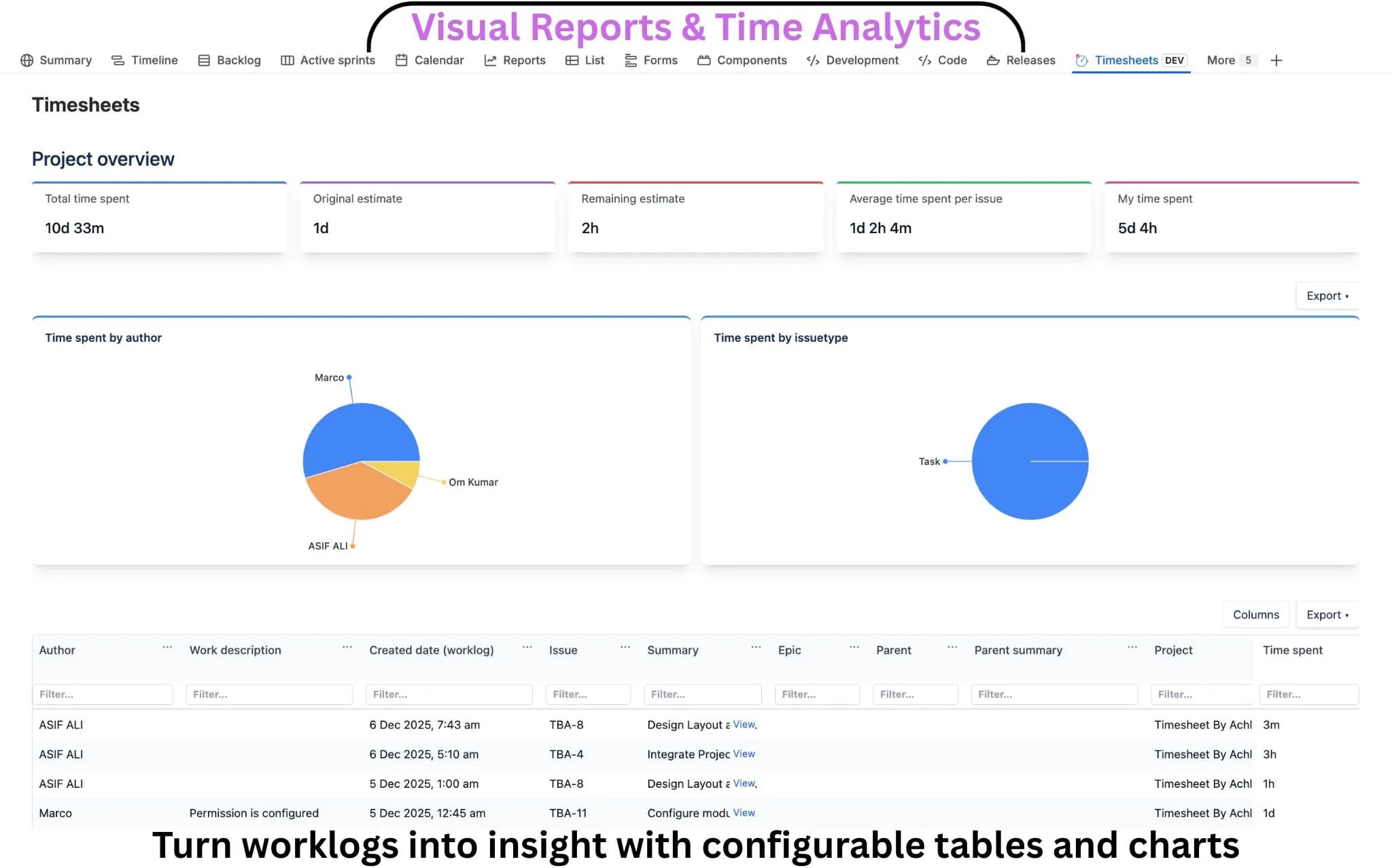
Turn Jira worklogs into visual insights
Get instant visibility into time spent across projects, users and issue types. Powerful dashboards, charts and tables help teams analyze effort, track progress and make data-driven decisions directly inside Jira.
- Real-time project dashboards
- Custom charts and matrix tables
- Filter by user, issue type, or project
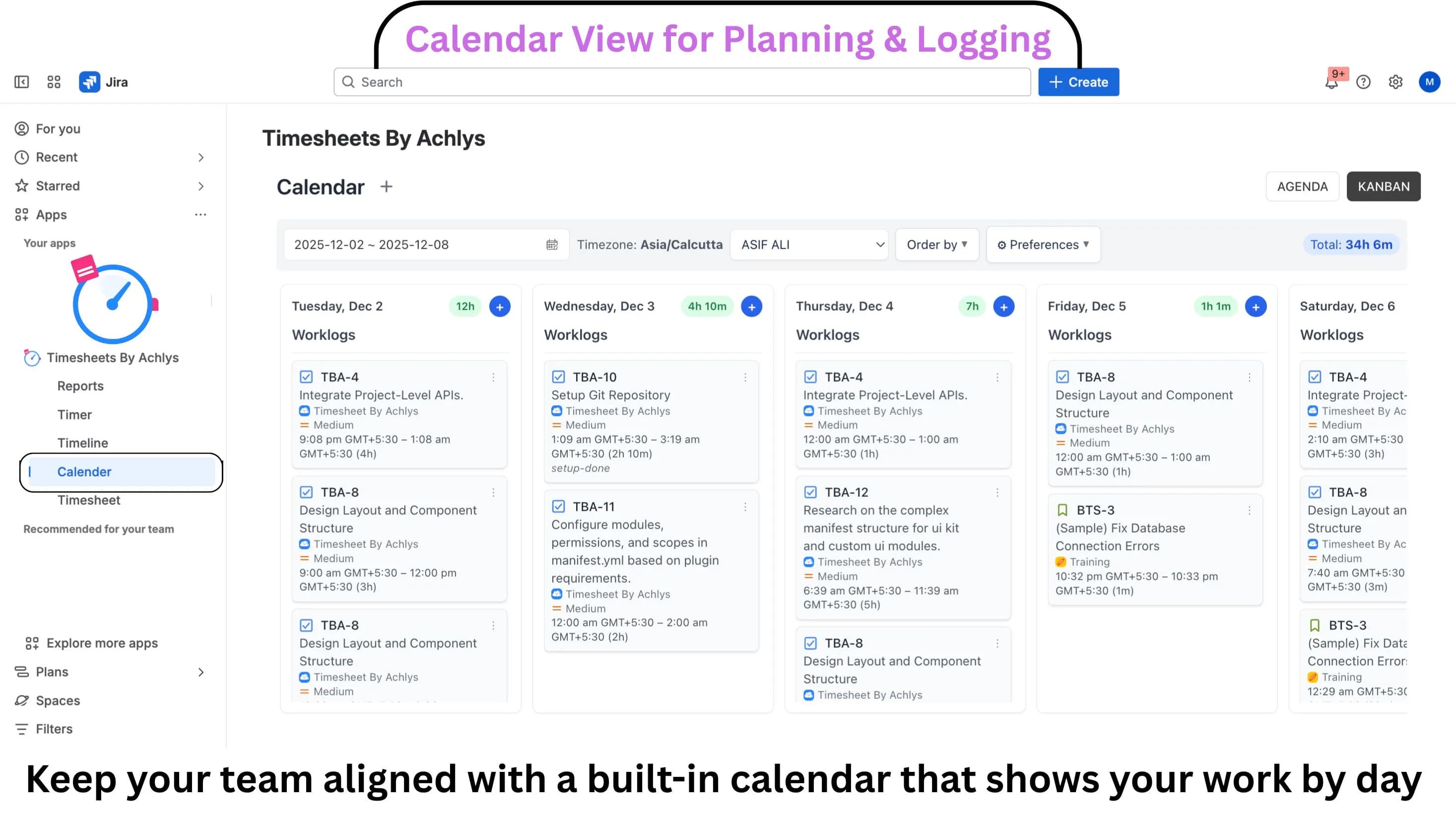
Calendar View for Planning & Logging
View and manage worklogs in a clean calendar layout. Log time, review effort and track daily totals per user with timezone support, filters and quick actions for faster planning.
- Drag-and-drop worklog management
- Daily and weekly total summaries
- Full timezone support for global teams
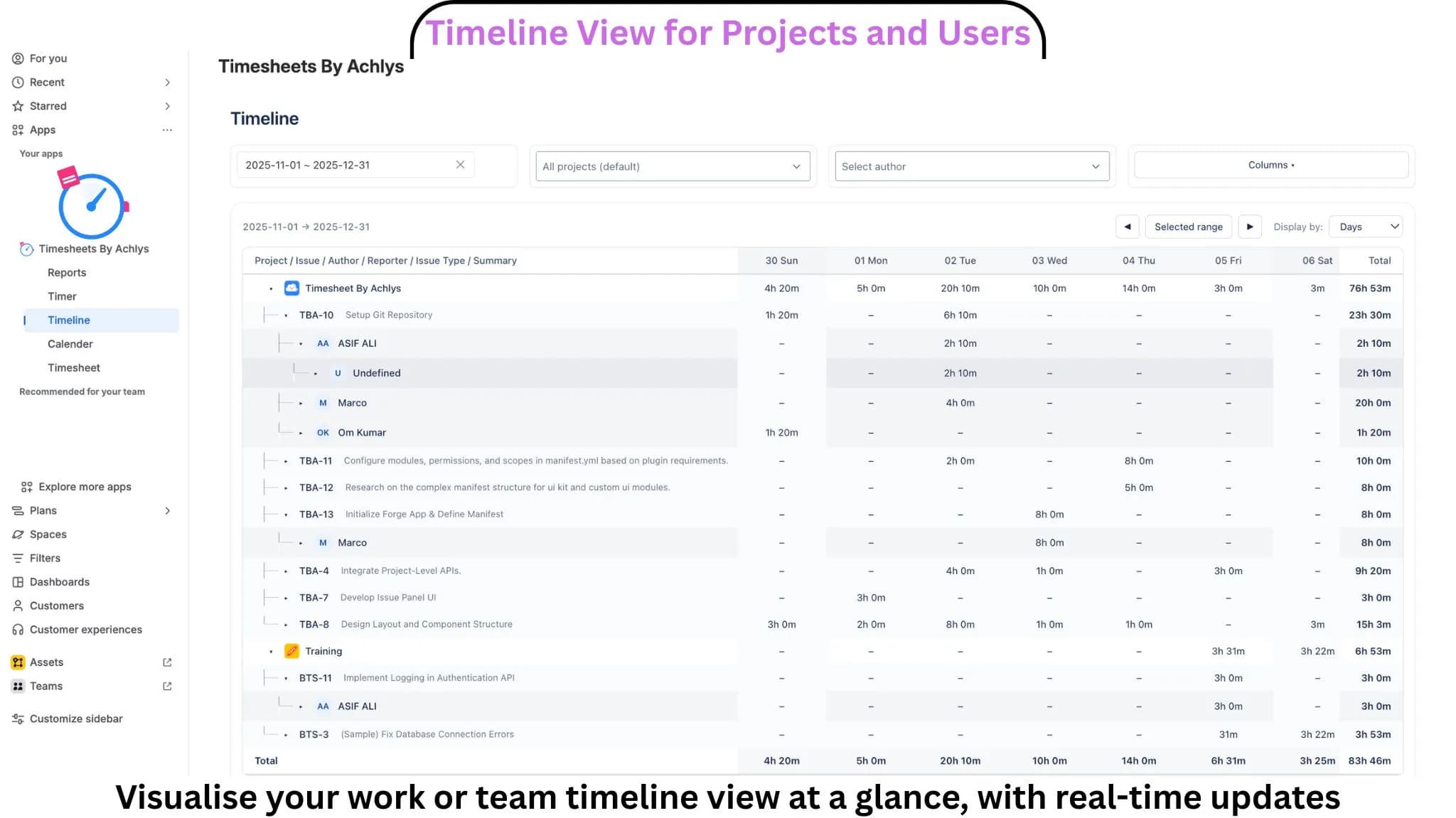
Timeline View for Projects and Users
Analyze time spent across projects, issues and users in a powerful timeline view. Break down effort by day, week, or month, apply filters and instantly spot workload distribution and trends.
- Spot workload distribution instantly
- Group by users or projects
- Identify bottleneck trends over time
More Details
Introducing Timesheets by Wired Brains, a full time-tracking and reporting solution for Jira. It includes an issue timer panel, a global timer board, a calendar view with drag-and-drop worklogs, a classic grid-style timesheet view and a timeline view for project and team analysis.
Project dashboards provide charts and metrics per project, while the reports section offers matrix tables and grouped bar charts with saved filters. Users can log, edit, delete and move worklogs from multiple views and export timesheets to CSV and Excel.
This version targets Jira teams that need accurate time tracking, visibility into worklogs and simple reporting without leaving Jira.